
In this tutorial, you’ll learn how to navigate to the “Services” and “Events” sections in ScheduleMeet to add new services and events.
Add Services:
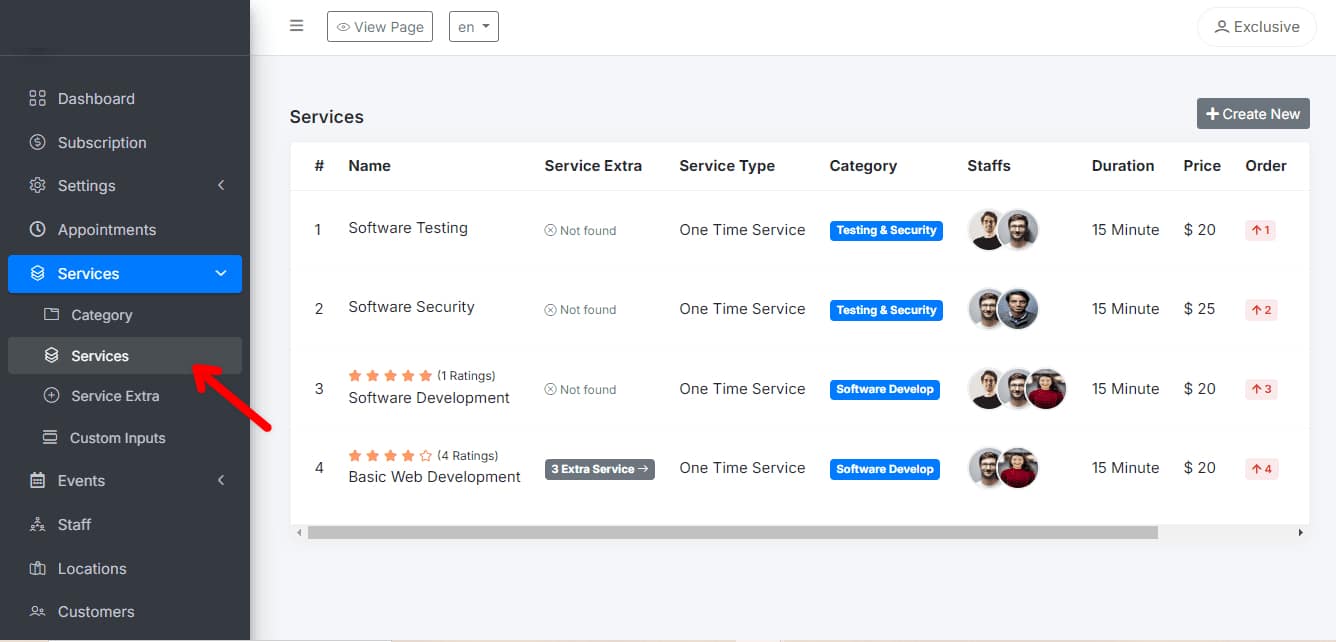
Navigate to the “Services” section in the main menu: Find and click on the section dedicated to service management.
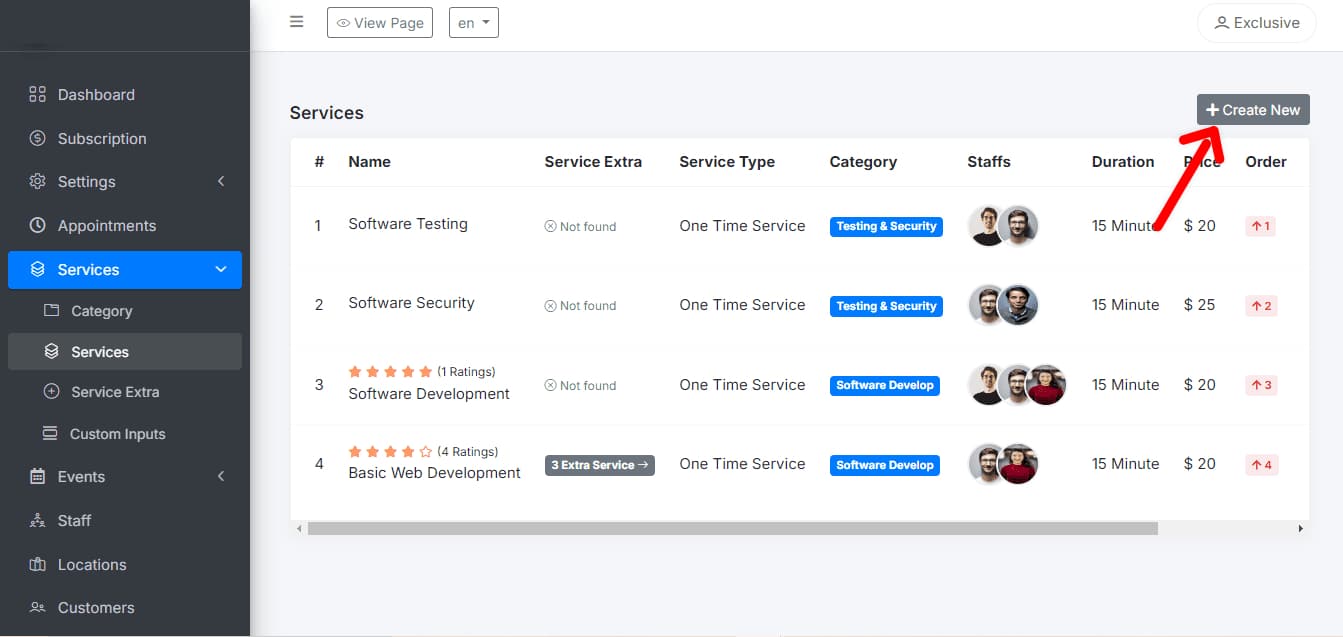
Click on “Add Service”: Look for and select the option to add a new service.
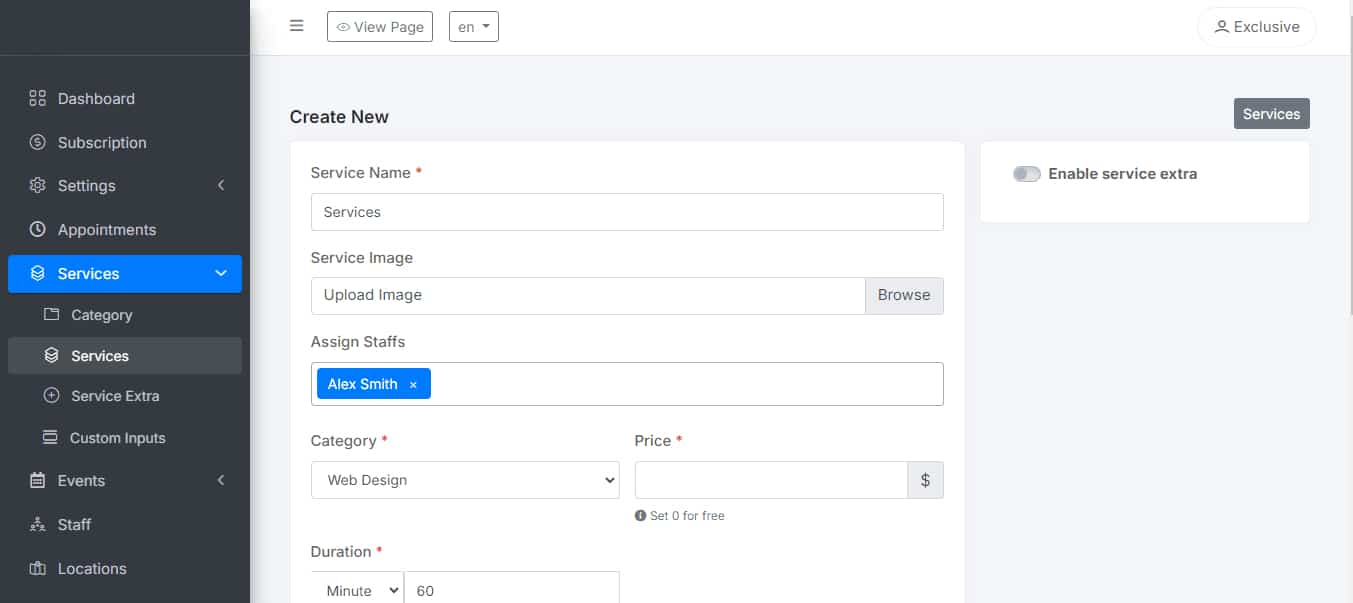
Enter the service name, description, duration, and price: Provide detailed information about each service you offer, including how long it lasts and how much it costs.
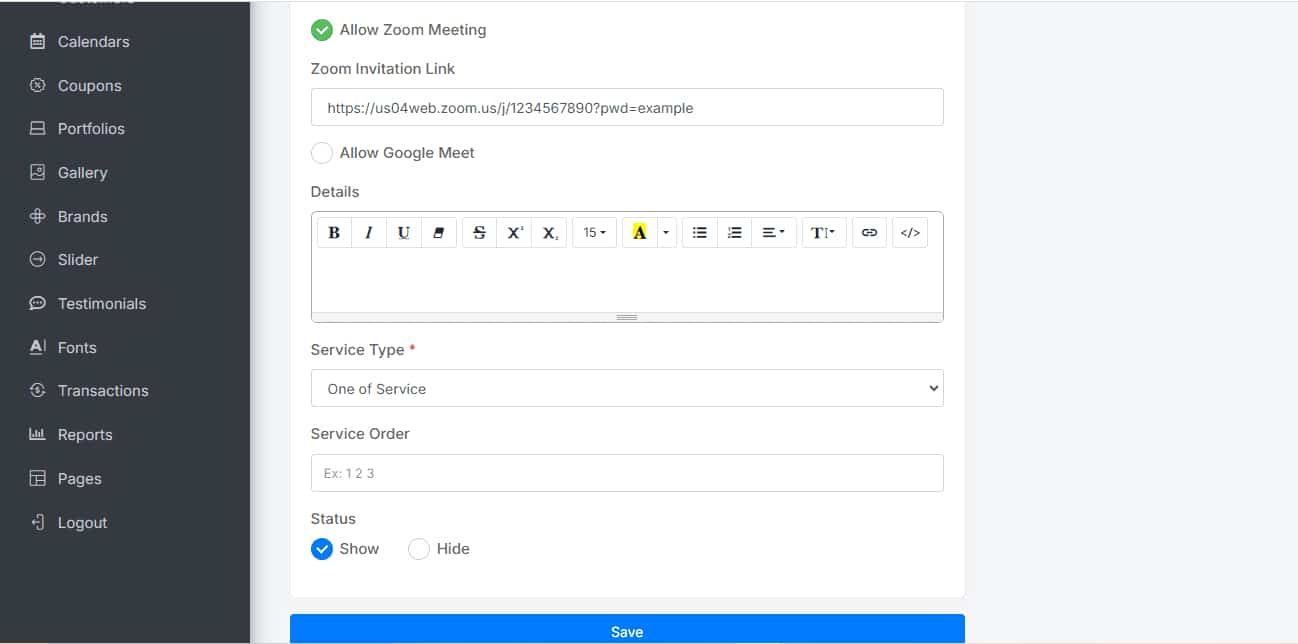
Set the service availability: Define the days and hours when the service will be available for booking.
Add Events:
Go to the “Events” section: Find and click on the section dedicated to event management.
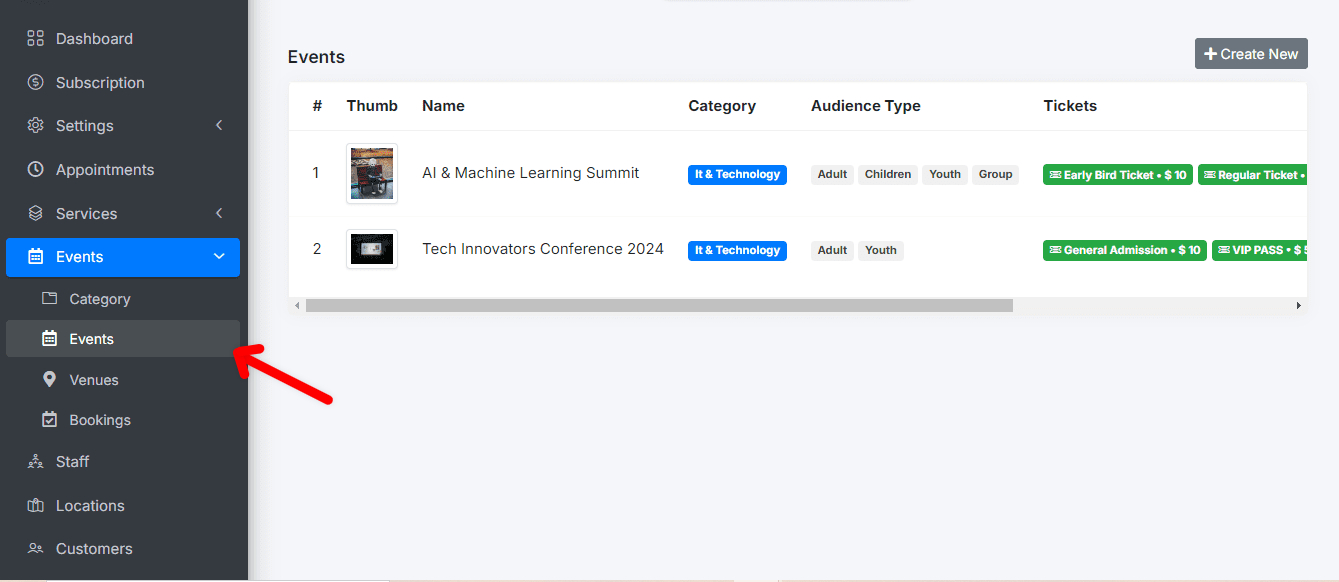
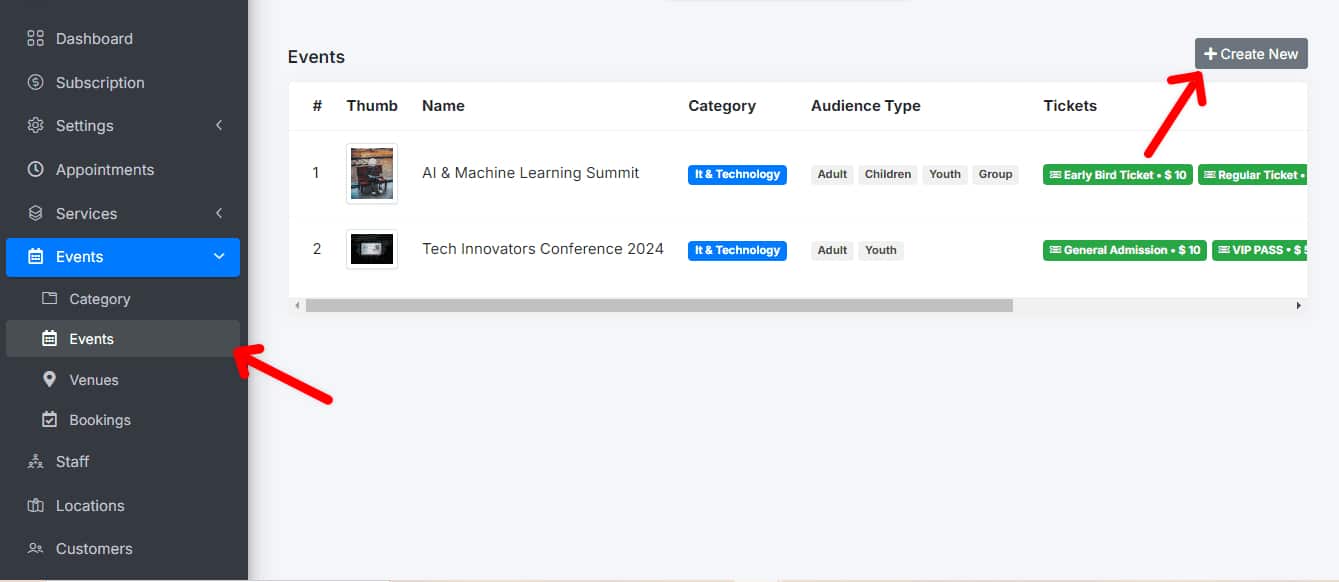
Click on “Create Event”: Select the option to create a new event.
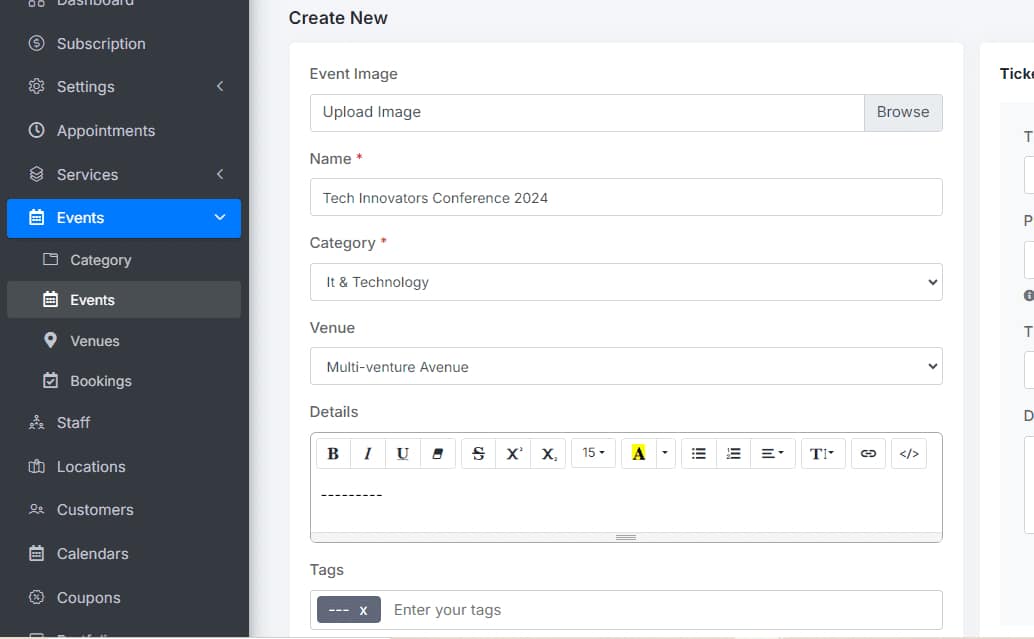
Enter the event details, such as name, description, date, and time: Provide all the relevant information about the event, including an attractive description for participants.
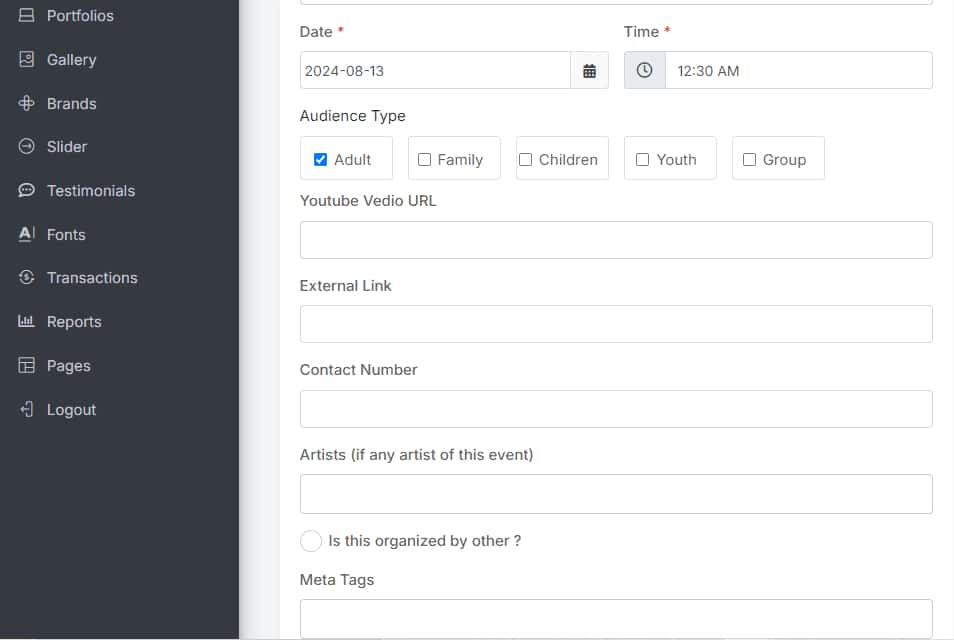
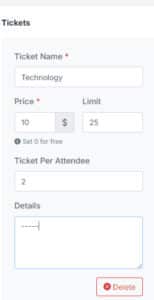
Set the participant limit if necessary: Define how many people can attend the event to avoid exceeding capacity.
You’re all set! If you have any questions, please contact our Support Team.